

In today’s hyper-competitive corporate landscape, relying on manual, repetitive processes is no longer just inefficient—it is a massive competitive disadvantage. As companies scale, the complexity of managing daily tasks grows exponentially, leading to bottlenecks, human error, and wasted resources. Enter the AI workflow, a revolutionary approach to business operations that leverages artificial intelligence to automate, optimize, and manage complex tasks.
Implementing an AI workflow automation strategy is not just about replacing human effort; it is about augmenting your team’s capabilities so they can focus on high-level strategy, creativity, and growth. Whether you are managing supply chains, handling customer service, or streamlining financial reporting, AI automation is the key to unlocking unprecedented operational efficiency. In this comprehensive guide, we will explore how an AI workflow transforms business operations and provide a step-by-step roadmap for integrating it into your company.
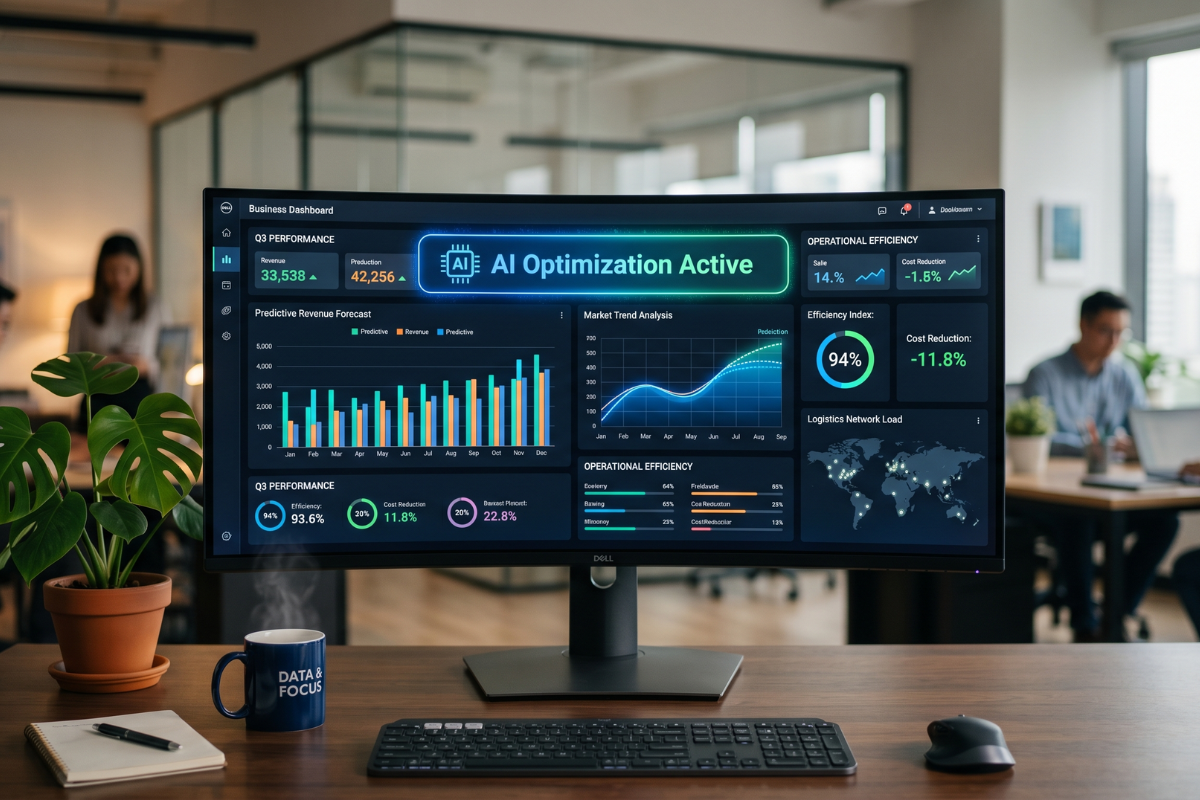
The Background: What Is an AI Workflow?
To truly grasp how AI transforms business operations, we must first understand the context and evolution of workflow automation. For years, businesses have used Robotic Process Automation (RPA) to handle repetitive tasks like data entry or invoice generation. Traditional RPA operates on strict, rule-based logic: if X happens, do Y.
While effective, rule-based automation is rigid. It breaks down when faced with unstructured data or exceptions. An AI workflow bridges this gap by injecting cognitive technologies—such as Natural Language Processing (NLP), machine learning, and computer vision—into the automation pipeline. Instead of just following rules, an AI-driven workflow can read, understand, analyze, and make decisions.
For example, an intelligent workflow can read an incoming customer email, determine the customer’s sentiment, extract relevant account details, and route the ticket to the appropriate department while drafting a suggested response. This contextual understanding is what makes modern AI automation so transformative for enterprise resource planning and daily operations.
A Step-by-Step Guide to Transforming Your Operations
Implementing an AI workflow requires a strategic approach. Moving too quickly without a solid foundation can lead to integration failures and wasted investments. Follow these logical steps to ensure a smooth transition.
Step 1: Audit Your Current Business Operations
Before introducing artificial intelligence into your ecosystem, you must have a clear map of your existing processes. Look for tasks that are highly repetitive, data-intensive, and prone to human error. Operations like manual data entry, customer onboarding, inventory management, and invoice processing are prime candidates for AI workflow automation. Document the time spent on these tasks to establish a baseline for future ROI calculations.
Step 2: Select the Right AI Automation Tools
The market is flooded with AI tools, but not all of them will suit your specific business needs. Evaluate your requirements and choose platforms that integrate seamlessly with your existing tech stack (such as your CRM, ERP, or communication platforms). Look for solutions that offer no-code or low-code interfaces if you lack a massive internal IT team. Prioritize vendors that provide robust API support, strong data security protocols, and scalable machine learning models.
Step 3: Design the Intelligent Workflow
Once the tools are selected, it is time to map out the new automated process. Start by defining the trigger event (e.g., receiving a vendor invoice). Next, outline the AI’s responsibilities, such as extracting line items using optical character recognition (OCR) and verifying the amounts against purchase orders. Finally, determine the output, which might be sending the approved invoice directly to your accounting software or flagging discrepancies for human review.
Step 4: Implement and Train the Model
Deploy the AI workflow in a controlled sandbox environment before rolling it out company-wide. During this phase, you will need to feed the AI historical data so its machine learning algorithms can recognize patterns and improve accuracy. Monitor the system closely during this trial run, making adjustments to the logic and thresholds as necessary to ensure high-quality outputs.
Step 5: Monitor, Optimize, and Scale
An AI workflow is not a “set it and forget it” solution. After full deployment, continuously track key performance indicators (KPIs) such as processing speed, error reduction rates, and employee hours saved. As the AI model learns from new data, it will become more efficient. Once your initial workflow proves successful, use those learnings to scale AI automation across other departments in your organization.
Key Features and Benefits of AI Workflows
Upgrading to an intelligent automation system brings a host of powerful capabilities to your daily operations. Here are the primary features and benefits you can expect:
-
Predictive Analytics: AI can forecast future trends based on historical data, allowing businesses to proactively manage inventory, staffing, and budget allocations.
-
Dynamic Decision-Making: Unlike rigid software, AI workflows adapt to exceptions by using context to make intelligent routing and processing decisions.
-
Unstructured Data Processing: Advanced NLP allows the system to read and extract valuable insights from emails, PDFs, audio transcripts, and social media posts.
-
Continuous Learning: Machine learning algorithms automatically refine their accuracy over time, meaning the workflow becomes faster and smarter the more you use it.
-
Enhanced Employee Satisfaction: By eliminating tedious, repetitive grunt work, employees can focus on meaningful, creative, and strategic projects.
Frequently Asked Questions (FAQs)
Will AI workflow automation replace my employees?
No, the goal of an AI workflow is augmentation, not replacement. While it handles repetitive data processing, human employees are still required for strategic decision-making, relationship building, emotional intelligence, and managing complex edge cases that the AI cannot resolve.
How long does it take to implement an AI workflow?
The timeline varies widely based on the complexity of the process being automated and the current state of your data. A simple intelligent routing system for customer service can be deployed in a few weeks, while a comprehensive AI-driven supply chain overhaul may take several months.
Is my business data secure with AI automation?
Security is a valid concern when implementing new technologies. Reputable AI workflow platforms prioritize enterprise-grade security, including end-to-end encryption, role-based access controls, and compliance with data privacy regulations like GDPR and CCPA. Always audit a vendor’s security credentials before integration.
Best Practices for AI Workflow Implementation
To maximize the return on your investment and ensure a smooth digital transformation, keep these recommendations in mind:
-
Start Small: Do not attempt to automate your entire business at once. Begin with a single, high-impact process to secure a quick win and build organizational buy-in.
-
Prioritize Data Quality: AI relies entirely on the data you feed it. Ensure your existing databases are clean, organized, and free of massive duplicates before training your AI models.
-
Invest in Employee Training: Your staff must know how to interact with the new systems. Provide comprehensive training on how to manage AI tools, review flagged exceptions, and interpret AI-generated insights.
-
Maintain Human Oversight: Always build “human-in-the-loop” fail-safes into your workflow. If the AI is unsure about a data point or encounters a critical error, it should immediately route the task to a human supervisor.
Conclusion
Embracing an AI workflow is no longer a futuristic concept reserved for massive enterprise tech companies; it is an accessible, necessary evolution for businesses of all sizes. By carefully auditing your operations, choosing the right tools, and thoughtfully designing automated pipelines, you can drastically reduce operational bottlenecks and human error. Ultimately, AI workflow automation empowers your business to operate at peak efficiency, freeing up your most valuable resource—your people—to drive innovation and sustainable growth.